

The Bustan app

The Bustan app: a big step forward for your child’s learning

Live classes teach; the Bustan e-Learning app makes the learning stick. Children practise every day with books, games and quizzes that feel like an adventure, and parents see the classes, homework and progress as they happen, so you can encourage your child at exactly the right moment.

Free to download. The app is for families learning with Bustan: your sign-in arrives by email when your child joins.

One account, on every screen your family uses

  • iPhoneApp Store
  • iPadApp Store
  • MacApp Store
  • Android phones & tabletsGoogle Play
  • Windows PCWindows 10 & 11
  • Any web browserNothing to install

For live classes and homework, a tablet or computer is best. On a bigger screen your child sees the teacher, the whiteboard and the activities clearly, and writing, tracing and typing answers is much easier. The phone is perfect for reminders, updates, messages and quick practice.

Why it matters

The class is where learning starts. The app is where it grows.

A child who meets a lesson again the next day remembers it. A parent who can see what was taught can help it along. The app brings both into every family’s day, which is why we see it as one of the biggest steps we have taken for our children’s learning.

For students: learning every day, not just on class days

  • Practice that sticks. A few minutes a day with the lesson they had in class turns it into something they know.
  • Their own pace. Replay an activity, try a quiz again, catch up on a missed class.
  • Something they want to do. Stars, streaks and adventures make practice the fun part of the day.
  • Good habits too. My Day keeps prayers, adhkar and good deeds part of every day.
For parents: part of the learning, every step

  • See what was taught. Every class, every piece of homework, and how it went.
  • Help at the right moment. Spot early what your child finds hard, and praise what they have mastered.
  • Close to the school. Progress, marks and messages keep home and class working together.
  • Nothing missed. Reminders, changes and school news reach you on your phone.

For parents

Know what’s happening, without chasing anyone

Everything about your child’s learning in one place: the next class, what was taught, the homework and how it went. Several children? They all sit under one account.

Your child joins class in one tap

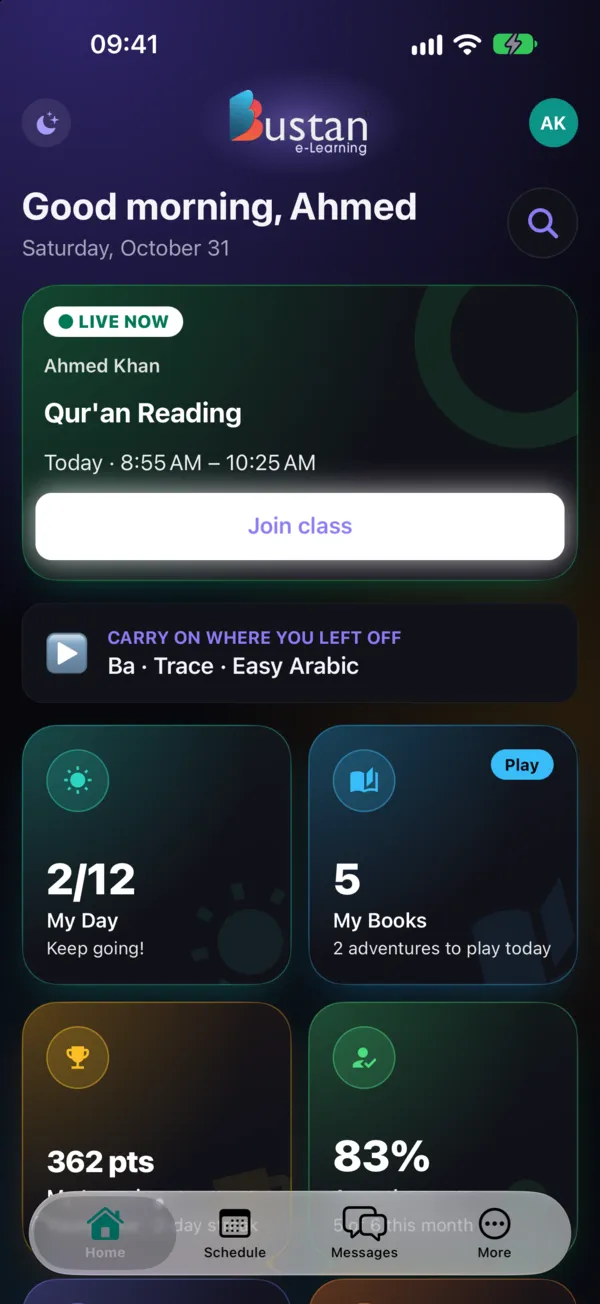
The next class is the first thing you see. When it’s time, press Join and your child is in the class. A reminder arrives before it starts, so nobody has to watch the clock.

  • Reminders before every class
  • Told straight away if a class moves
  • Missed a class? Watch the recording later

Best on a tablet or computer: a bigger screen makes the class easier to follow.

Every class, in your own time zone

The whole timetable in a simple calendar, set to where you live. Wherever your family is, the times are already right.

Homework, handed in from the app

Homework appears with its due date. Your child can hand it in by typing, taking a photo of written work, or recording their voice when reciting. Once the teacher has looked at it, you’ll see the marks.

Homework is easiest on a tablet or computer, with room to read, trace and write.

Talk to the school, topic by topic

Message us about anything. Pick what it’s about and your question reaches the right person. Type, or send a voice note, and you’ll see when it’s been read.

  • Progress, marks and attendance in one place
  • What was covered in every class
  • School news and announcements, with a notification

For children

Learning that carries on after the class ends

Between classes, children play through the books their teacher sets: tracing letters, building words, reading, quizzes and games. Short, daily, and something they ask for.

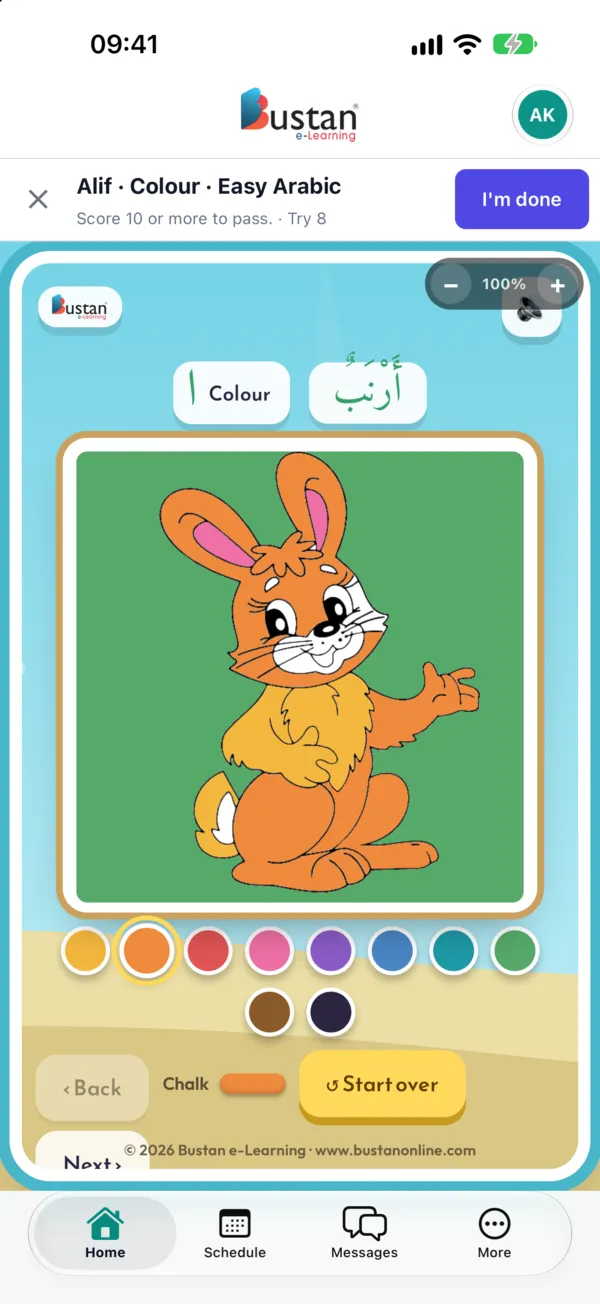
An Arabic letter activity: colouring a picture for the letter Alif
  • Every book is an adventure

    One new stop a day, stars to earn, treasure chests to open, and a certificate at the end.

  • Learn by playing

    Colour, trace and read, on a phone or a tablet, with activities built for small hands.

  • Points, ranks and a streak

    Children see their progress grow, so they come back without anyone having to nag.

  • My Day

    A simple checklist of prayers, adhkar and good deeds that children tick off themselves.

On a tablet

More room to learn on iPad and Android tablets

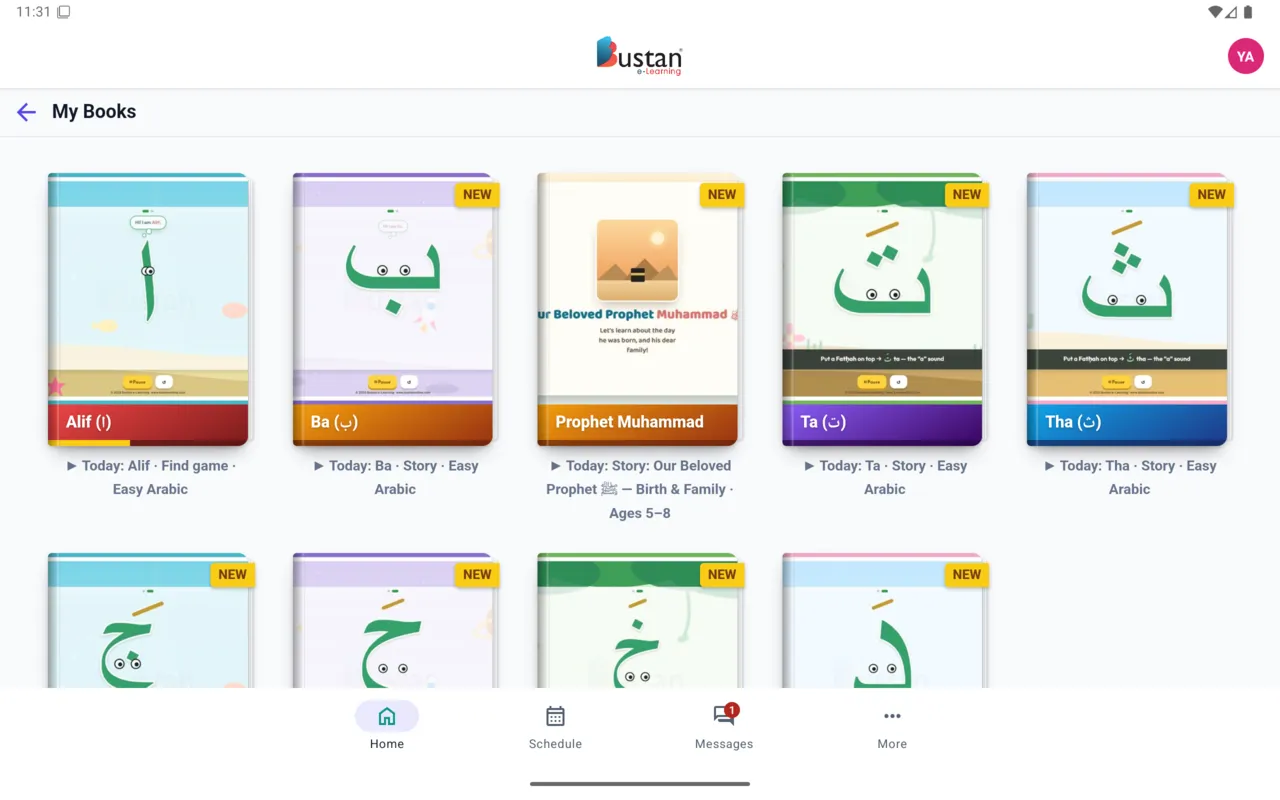
A tablet is one of the best ways to join a class and do homework. The app spreads out: bigger cards, bigger letters to trace and books that fill the screen. A favourite for younger children.

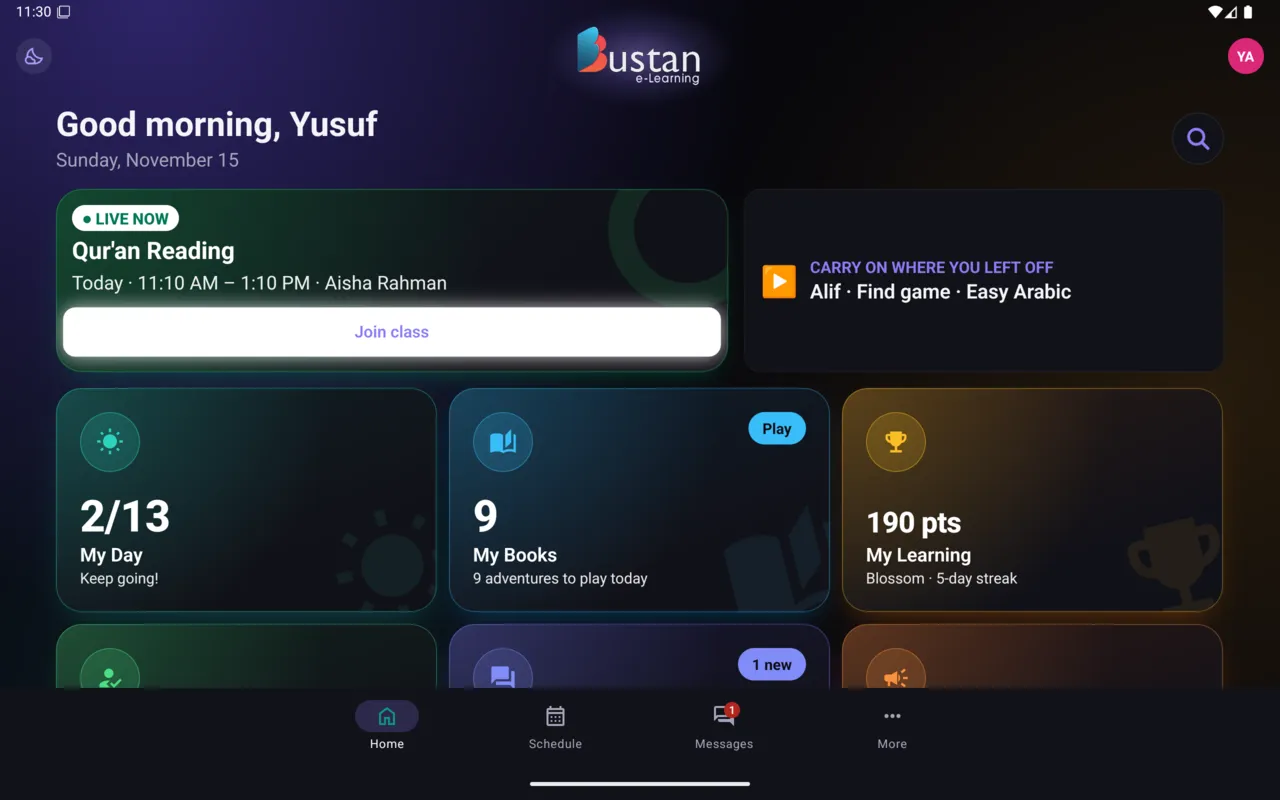
The app on a tablet: today’s live Qur’an Reading class with Join class, My Day, My Books and My Learning
Home
My Books on a tablet: a shelf of Arabic letter books to play
My Books

Safe for your family

No adverts

Nothing to distract your child from learning.

Only our families and staff

Accounts are set up by Bustan when your child joins. Strangers can’t sign up or message your child.

A login for each parent

Both parents can have their own sign-in and follow the same children.

Getting started

Three steps to your first class in the app

  1. Your child joins Bustan

    Book a free trial class, or register your child. We find the right class and time.

  2. Your sign-in arrives by email

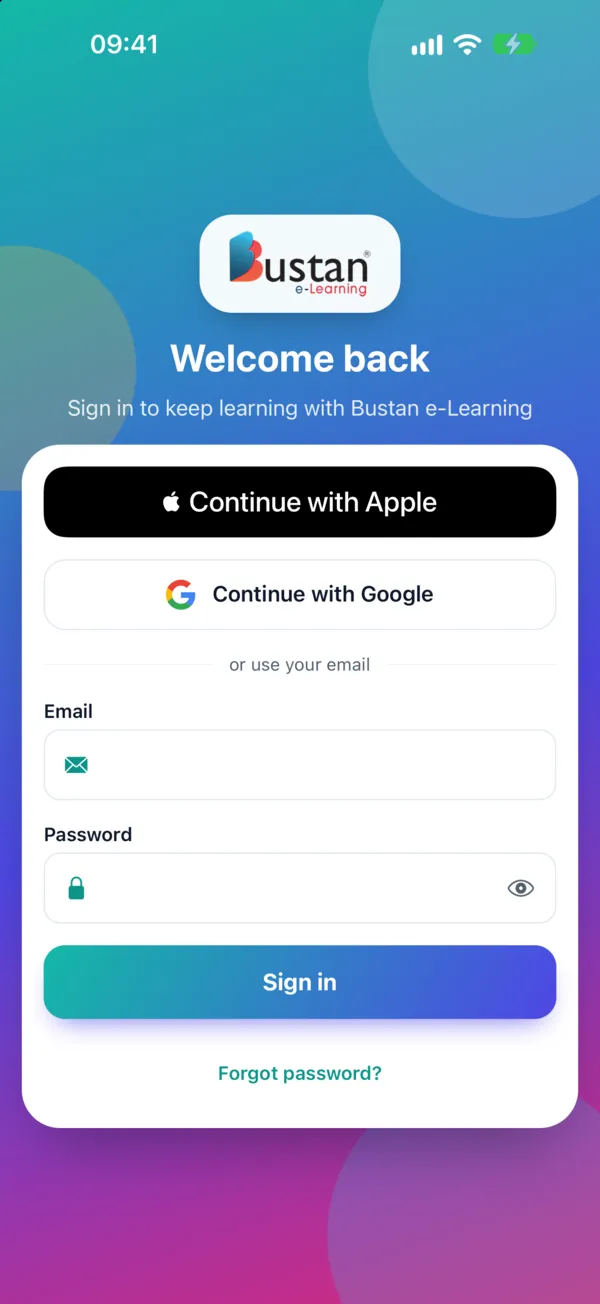
    We create your parent account and email you the details. Sign in with Google, or Apple on Apple devices, and there’s no password to remember.

  3. Install the app and sign in

    Get it from the App Store or Google Play, download it for Windows, or use the web app in any browser. The same account works on every device.

On a computer

The best seat for class and homework

A computer gives your child the clearest view of the class and the most room for homework. Use Bustan in any web browser, or install it on a Windows PC. The same account, the same classes, and everything stays in step with the phone app.

The web app: every platform, nothing to install

Open app.bustanonline.com in any modern browser and sign in. It works on Windows, Mac, Linux and Chromebook, and on any tablet or phone, so you’re never stuck on a borrowed or shared device.

  • Chrome, Edge, Safari or Firefox
  • Join classes, homework, progress and messages
  • Always the latest version
Open the web app

Bustan for Windows

The app for a laptop or desktop PC, in its own window, with reminders before each class. It keeps itself up to date. For Windows 10 and 11 (64-bit).

  1. Download the installer and open it.
  2. If Windows shows “Windows protected your PC”, choose More info, then Run anyway.
  3. Open Bustan e-Learning from the Start menu and sign in.
Download for Windows

On a Mac? Install the app from the App Store, the same as on iPhone and iPad.

Questions

About the app

Is the Bustan app free?

Yes. The app is free to download from the App Store, Google Play and for Windows, and the web app needs no download at all. It is for families learning with Bustan; classes are arranged with us.

Can I sign up in the app?

No. Accounts are set up by Bustan when your child joins, so only our own families and staff can sign in. To get started, register your child or book a free trial class.

Which devices does the app work on?

iPhone, iPad and Mac (from the App Store), Android phones and tablets (from Google Play), Windows 10 and 11 PCs, and any modern web browser through the web app.

How do I sign in?

Use the email we sent you when your parent account was created. Sign in with Google, with Apple on Apple devices, or with your email and password.

Can both parents use the app?

Yes. Each parent can have their own sign-in, and both see the same children, classes and messages.

I have more than one child with Bustan. Do I need more accounts?

No. Children registered with your email all appear under one account, and you switch between them.

Can my child join a live class from the app?

Yes. The next class is on the home screen, and Join takes your child straight in, on a phone, a tablet or a computer. A tablet or computer is best, because the bigger screen makes the class easier to follow.

Which device is best for classes and homework?

A tablet or a computer. On a bigger screen your child sees the teacher, the whiteboard and the activities clearly, and reading, tracing and writing answers is easier. Use the phone for reminders, updates, messages and quick practice.

Does it work on a Mac or a Chromebook?

Mac: install the app from the App Store. Chromebook: use the web app at app.bustanonline.com in the browser.

More answers on Questions parents ask.

Not with us yet?

Live online classes for children in small batches, in your time zone. Start with a free trial class.