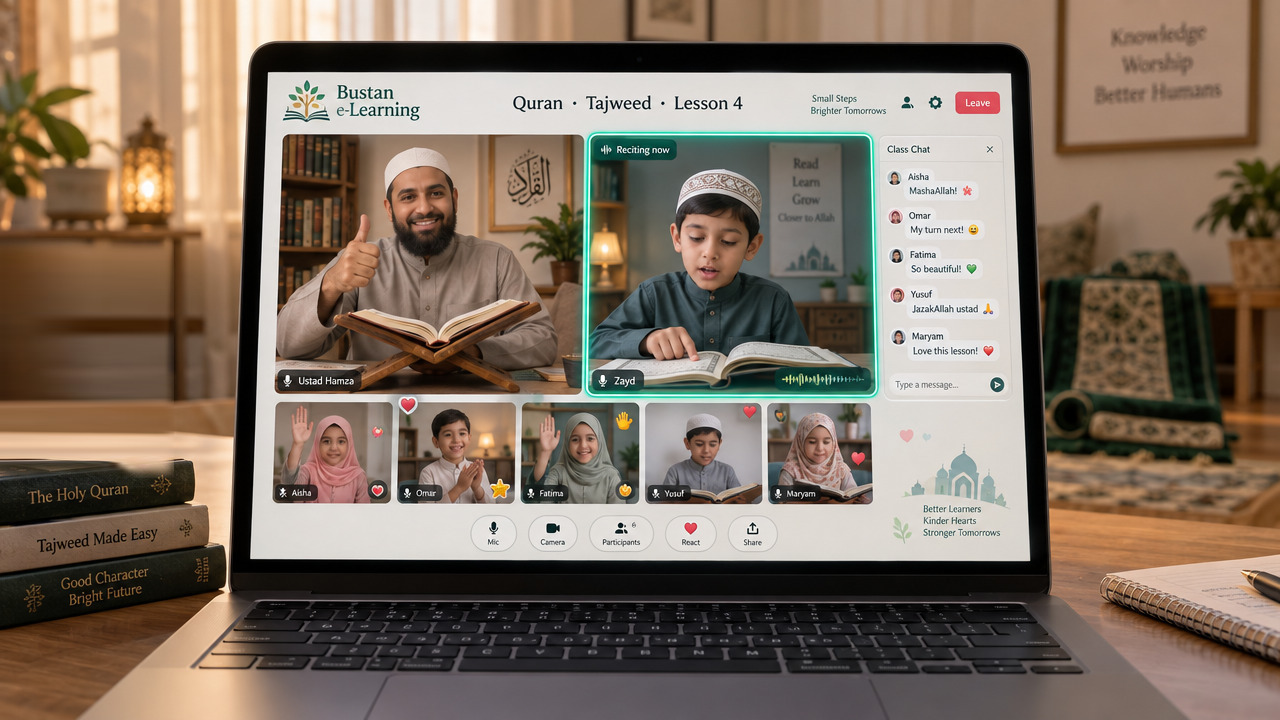
A Qur’an class, live
The teacher and the reciting student side by side, the rest of the class watching and encouraging in chat. Every child gets their turn, and the ustad hears each one.
Our LMS
Bustan e-Learning is delivered on our own learning management system, developed for the way Qur’an, Arabic, maths, science and the school syllabus are actually taught: live, in small classes, to children in different countries and time zones. It brings together content authoring, a managed library, live delivery, assessment, assignments, progress tracking and reporting in one platform, with the governance controls that teaching children requires.
Inside a Bustan class
Not a video call with a worksheet. A classroom built for children, where the teacher can see every face, every child gets a turn, and you can see what happened afterwards.
The teacher and the reciting student side by side, the rest of the class watching and encouraging in chat. Every child gets their turn, and the ustad hears each one.
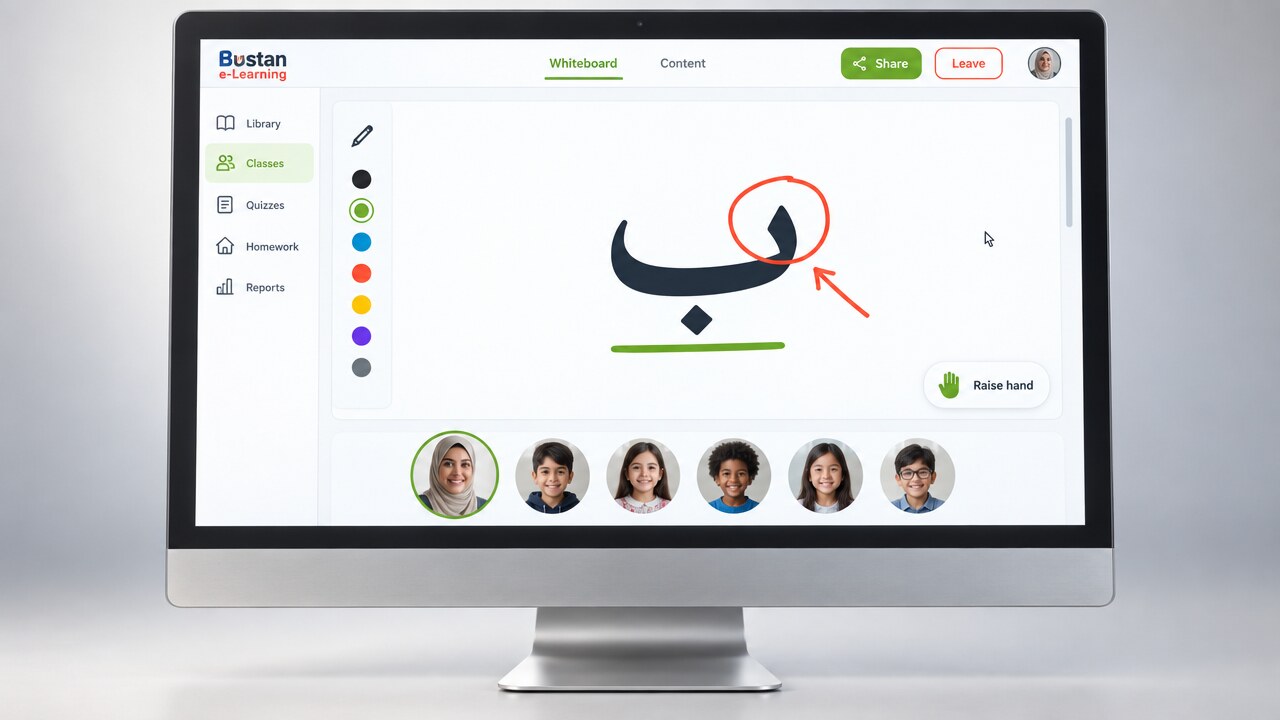
A real whiteboard the teacher writes on, the lesson plan down the side, and the class visible to one another. Children ask questions and answer each other.
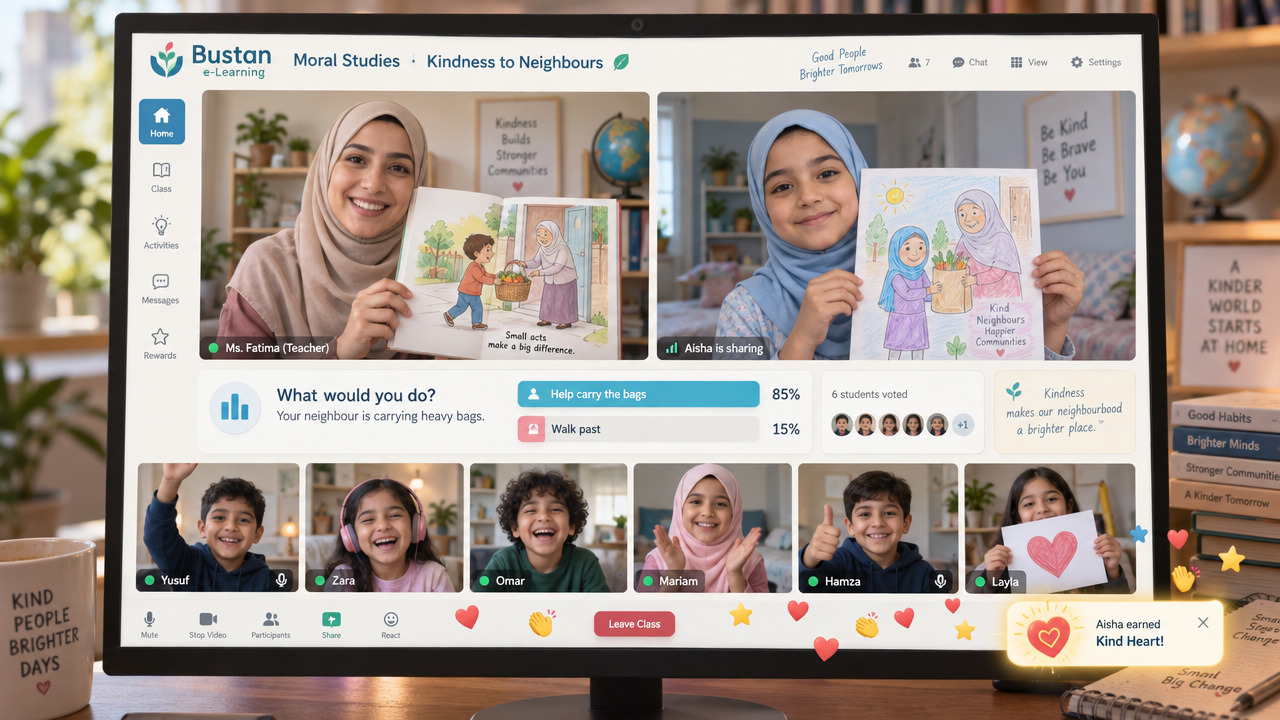
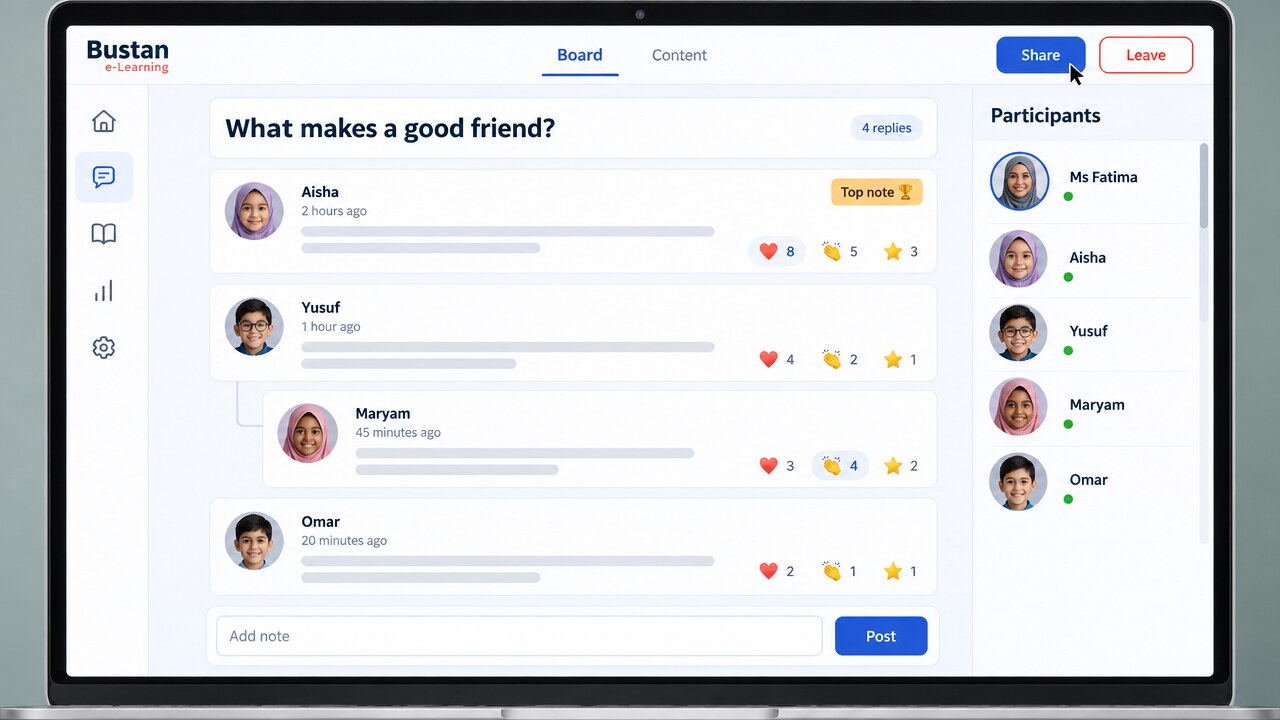
Moral Studies runs on questions. A story, a dilemma, a class poll, and the children’s own drawings held up to the camera.
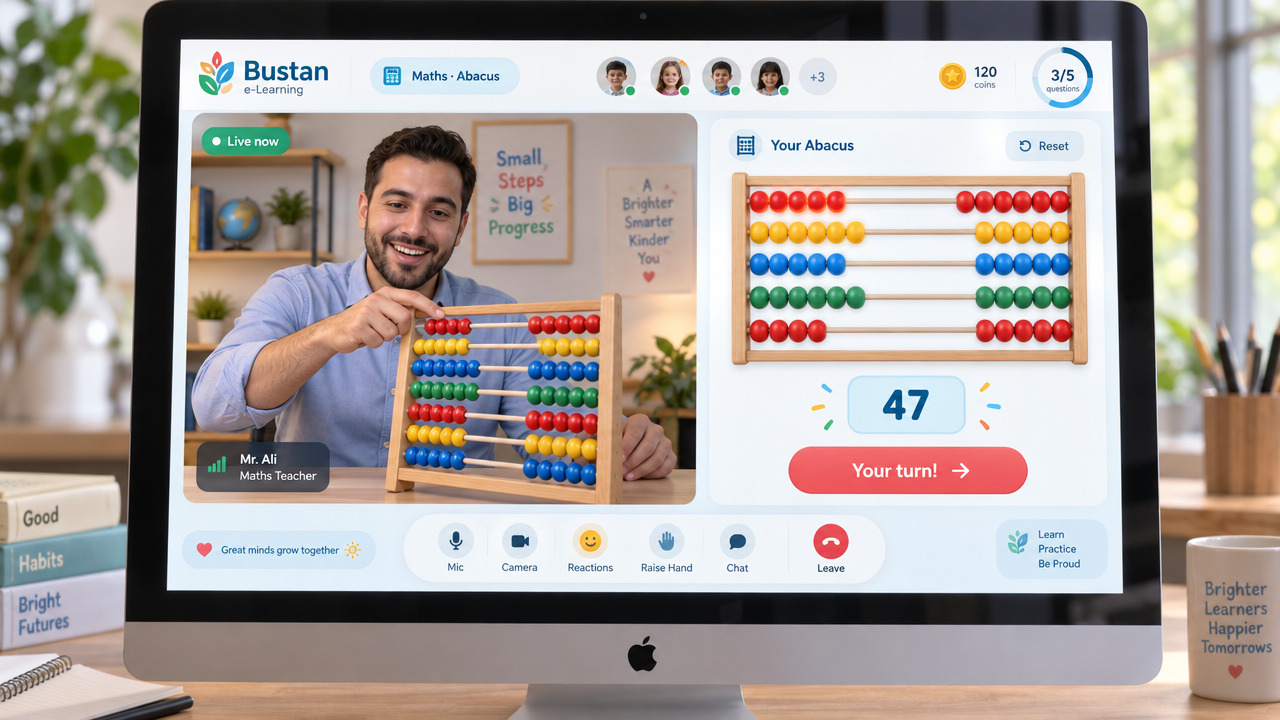
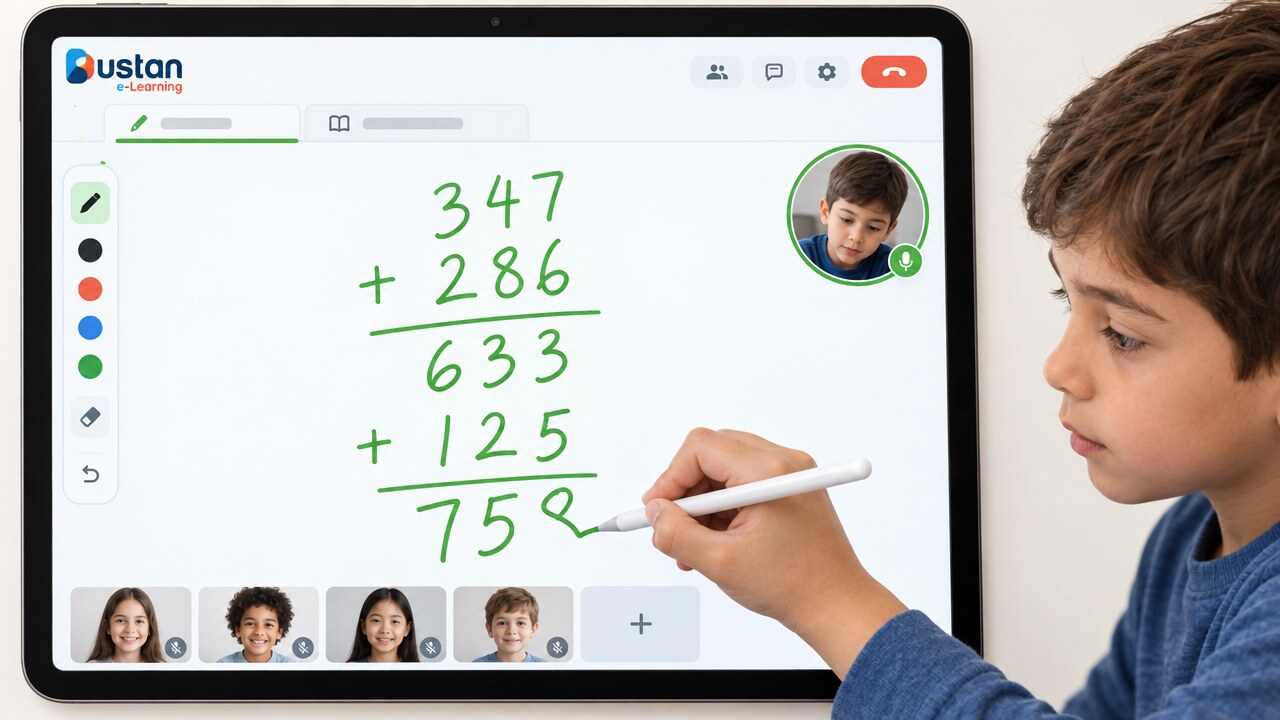
Abacus training with the pupil’s own abacus beside the teacher’s, the question count visible, and a turn that comes round to every child.
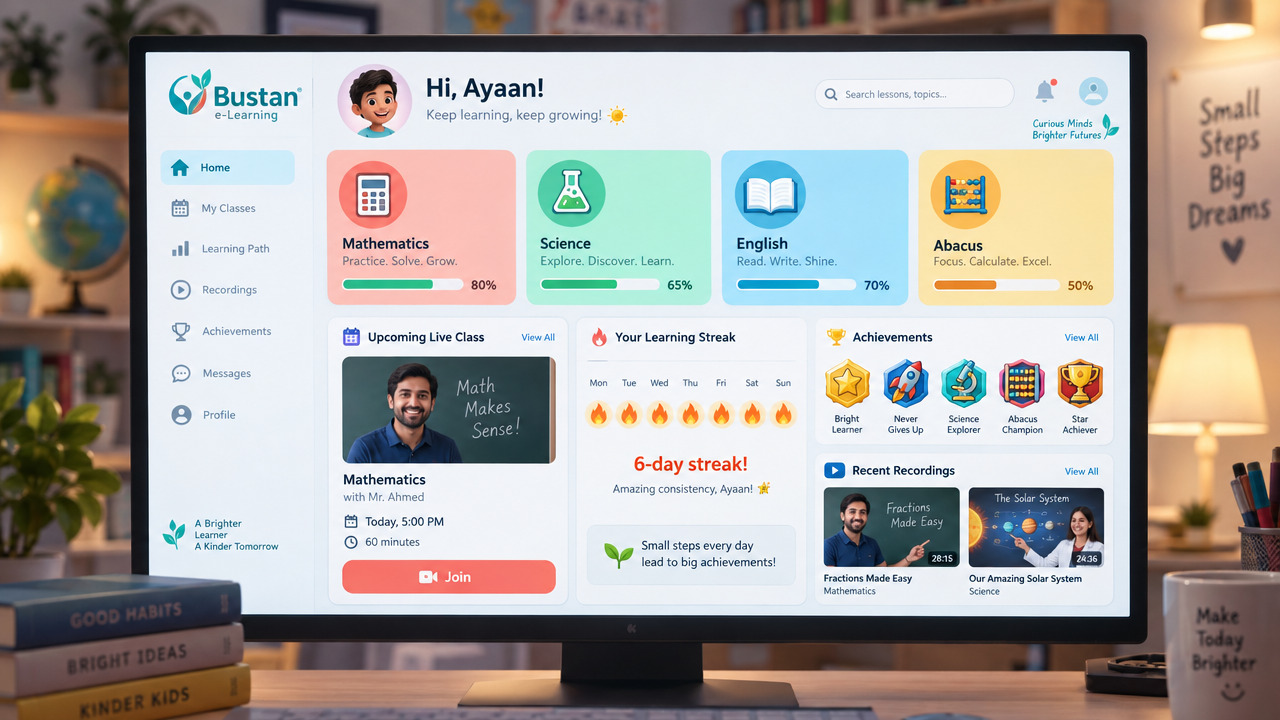
Each subject with its progress, the next live class, recordings of what was missed, and the streak that keeps them coming back.
Platform capabilities
The platform covers the whole teaching cycle rather than a part of it — preparing the lesson, delivering it live, assessing what was learned, and keeping families and academic staff informed.
All learning material is held in a single managed repository, structured by subject, chapter and age band, and reusable across classes and cohorts. Teachers draw from the same approved library wherever they are teaching, so what is delivered in one country is what is delivered in another.
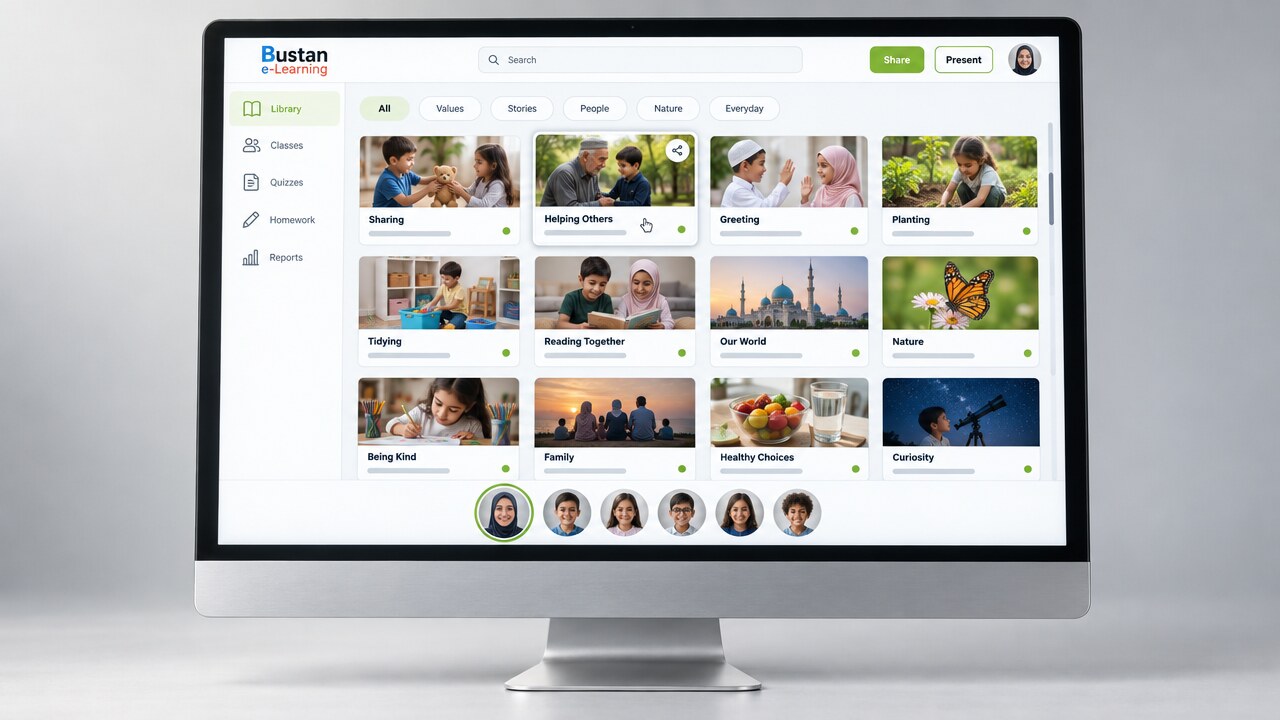
Content is delivered as interactive activities rather than as documents or recorded video. Learners complete guided practice, structured exercises and formative games inside the lesson itself, which makes engagement observable rather than assumed. The library is authored in house and purpose-built for Qur’an, Arabic and the subjects taught alongside them.
Lessons are planned in advance against a defined subject and chapter and delivered from that plan rather than improvised. Plans are maintained at several levels, so the same curriculum point can be taught at different paces without maintaining separate courses.
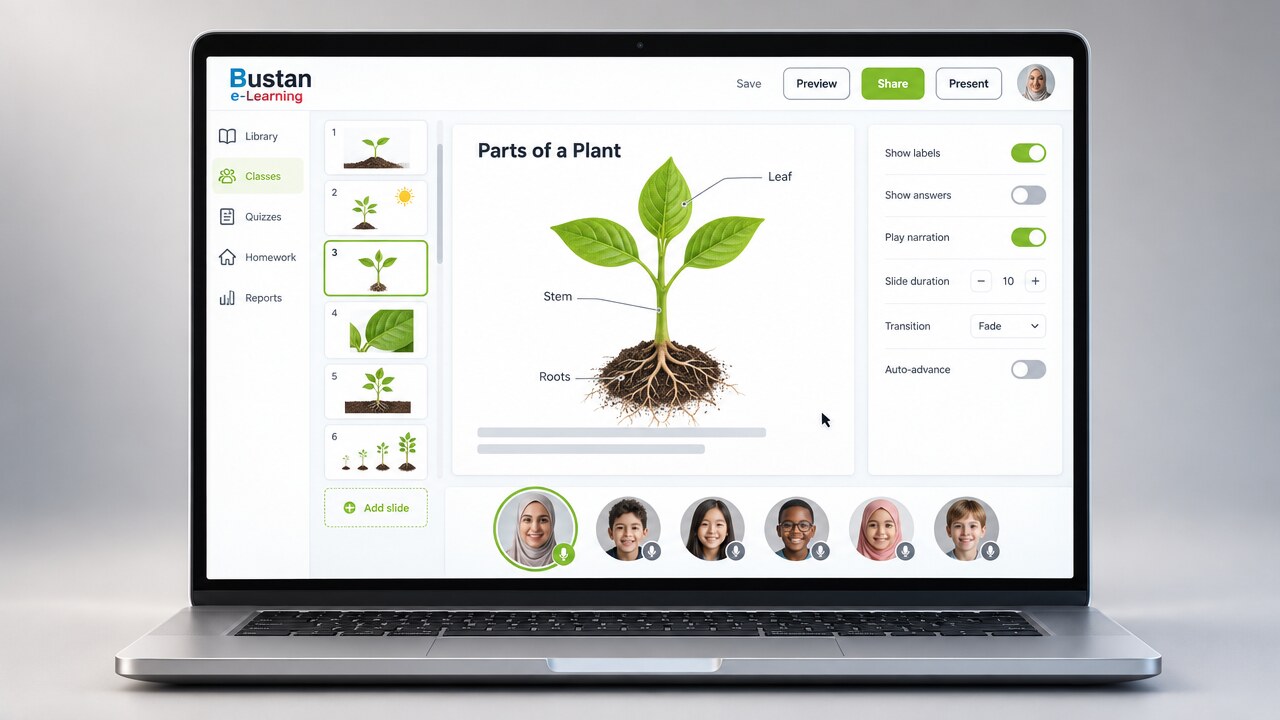
Learners are enrolled into batches and classes are scheduled against them, with recurring timetables maintained per batch. Scheduling is time-zone aware, which is a requirement rather than a refinement when a single class is attended from several countries at once.
Scheduled sessions are delivered live, with the lesson presented simultaneously to every participant’s screen. An interactive whiteboard is attached to the lesson being taught rather than run as a separate tool, so annotations and worked examples are retained against that session. Each learner joins by individual access link, which gives accurate attendance.
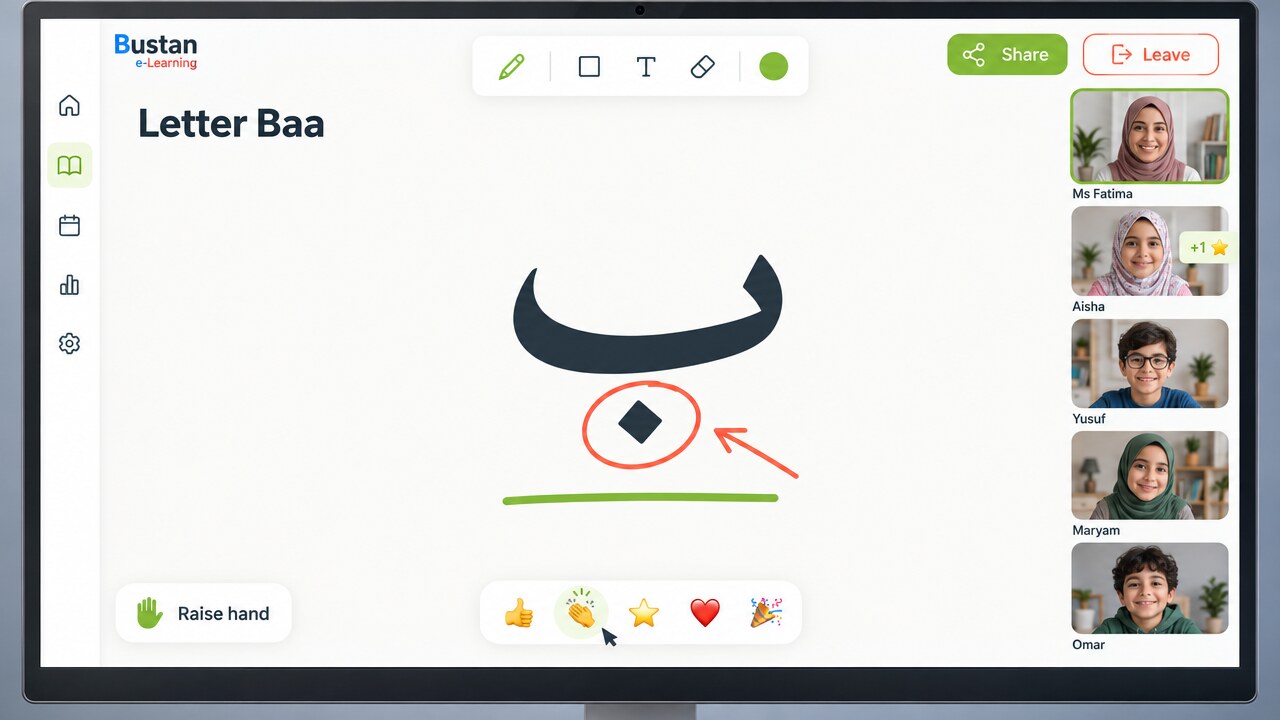
Sessions are recorded and made available afterwards, so a missed class can be caught up rather than written off, and a difficult passage can be returned to as often as it takes.
Assessments are authored alongside the content they test and tagged by subject, topic, age band and difficulty. Only approved items are available for delivery, so teachers select from a published, filtered bank rather than from work in progress.
Work is assigned to a class with a submission deadline. Learners submit in text, image or audio format — the last of these matters where pronunciation and recitation are what is being assessed. Submissions enter a shared marking queue and are returned with a score and written feedback.
Interactive activities report completion, score and time on task back to the platform automatically, with no separate submission step for the learner or the family to manage. Progress data is a by-product of the work being done rather than an additional administrative task.
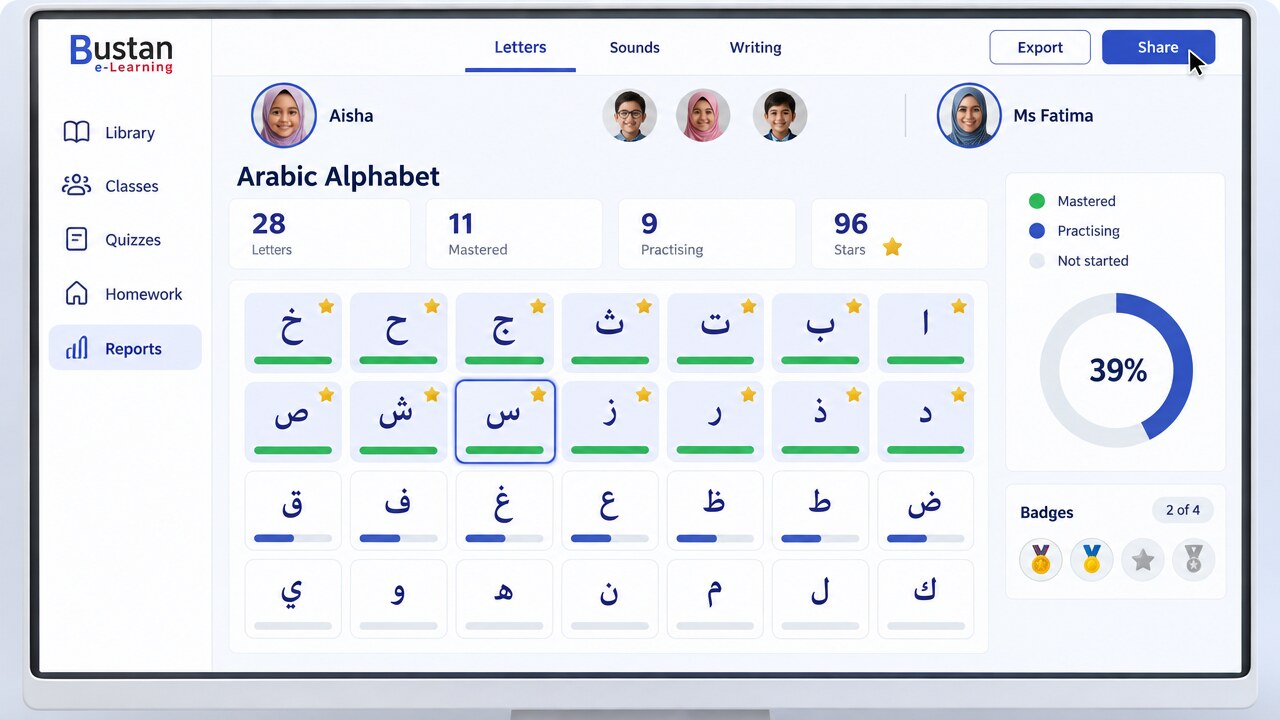
A summary is recorded for each class and shared with families, and the platform sends the scheduled notices, reminders and feedback requests that go with running a timetable. Parents are told what was covered rather than having to ask.
Material passes two distinct controls before it is delivered: publication approval, and subject-matter verification confirming that the content is correct. Both are recorded against the item, giving an auditable account of who approved what and when. Access to each function is governed by role.
Class records bring together attendance, the content delivered, the work assigned and the submissions returned. Reporting is available at learner, class, teacher and content level, and supports academic review as well as operational oversight.
The platform runs in any modern browser, and is published as desktop and mobile applications as well, so a household joins from whatever it already owns rather than buying something to suit the school.
Why we developed our own
Arabic letters change form according to their position in a word, vowel marks sit above and below them, and recitation has to be heard to be assessed. These requirements shaped the content model and the submission formats rather than being worked around afterwards.
Learners join from a range of devices, networks and locales, many of which provide no Arabic language support. Activities are therefore designed to function without it, so nothing essential depends on the capabilities of a particular device.
The lesson, the assessment written against it, the plan that delivers it, the whiteboard used during it, the assignment set from it and the progress data returned are a single system rather than separate tools. Integration is the reason for building rather than assembling.
Try it yourself
A sample of the lessons our students work through in class, running here in your browser exactly as they do in a live session. No sign-up is required, nothing is recorded and nothing is sent anywhere.
The quickest way to understand the platform is to watch a class run on it.